Ask Need Help Restoring Erased BIOS on Surface Pro 1796 (Password Locked)

Question & Answer Forums

vanescar

Active Member
VIP PRO
Hi everyone,
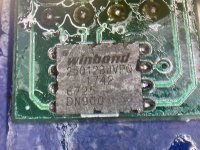
I have a Microsoft Surface Pro (model 1796) that was asking for a BIOS password at startup. I tried to fix this by reprogramming the BIOS, but I accidentally erased its entire contents in the process. Now I have no original BIOS (with password) to restore from, and I’m stuck.

Has anyone faced a similar issue or knows how to recover/restore the BIOS on a Surface Pro once it’s been wiped? Any suggestions, tools, or methods would be greatly appreciated. Thanks in advance!
 

Download list

  • WhatsApp Image 2024-12-29 at 22.08.52.jpeg
    WhatsApp Image 2024-12-29 at 22.08.52.jpeg
    626.6 KB · Views: 9
  • WhatsApp Image 2024-12-29 at 22.07.36.jpeg
    WhatsApp Image 2024-12-29 at 22.07.36.jpeg
    714.4 KB · Views: 10
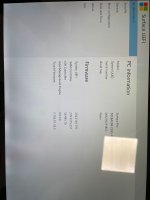
I successfully loaded the firmware you posted, but it doesn’t see the internal drive. I also need to recover the data—how can I do that?
Look at the picture—it detects a drive, but it’s showing zero bits.
 

Download list

  • WhatsApp Image 2024-12-30 at 09.39.43.jpeg
    WhatsApp Image 2024-12-30 at 09.39.43.jpeg
    328.8 KB · Views: 13
  • WhatsApp Image 2024-12-30 at 09.35.51.jpeg
    WhatsApp Image 2024-12-30 at 09.35.51.jpeg
    439.7 KB · Views: 13
Happy New Year 2025!!

This isn't a laptop; it doesn't have an M.2 slot, and the SSD is soldered onto the motherboard. How can I solve this problem...?
 
Unfortunately, I messed up while trying to make a backup and used the wrong program, which ended up deleting the content.
 
I broke the flex cable for the touchscreen, so I can't test it. Anyway, for the moment, the only problem is that the HDD isn't being detected.
 
I broke the flex cable for the touchscreen, so I can't test it. Anyway, for the moment, the only problem is that the HDD isn't being detected.
If you don't have the original BIOS, you need to buy a $35 patch to fix it
 
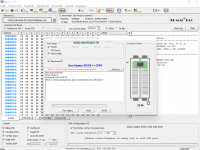
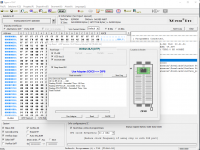
Sorry for not getting back to you earlier, but I have a problem. I can’t program the chip with your new instructions; I’m getting various errors and it doesn’t recognize the pins during verification. I think it might be damaged?
 
can you check the photo if I set the correct program?

W25Q128JV(OTP) @SOIC8
 

Download list

  • 123.png
    123.png
    121.5 KB · Views: 8
Back
Top