

- Star Rating
- 5.00 star(s)
Dell Optiplex Micro Plus 7020
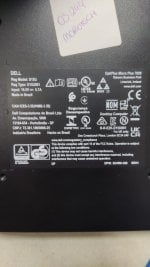
Reg Model: D15U
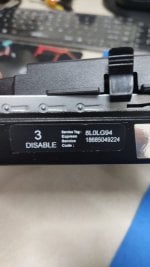
Service Tag: 8L0LG94
Express: 18685049224
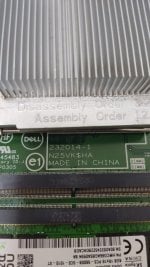
Motherboard 232014-1 N25VK$HA
Hi everyone,
I'm facing a bit of a situation here and would appreciate some help from the experts.
I received a unit that was BIOS password protected. Unfortunately, during the initial dump, there was a verification error that I didn't catch in time, resulting in a corrupted original file. I tried flashing another BIOS chip with a different dump, but the device is now a "no power/no display" state.
Fortunately, I have an identical unit (same model, same motherboard version/revision) and I have just performed a verified backup of its working BIOS.
I need help with two things on this working dump:
Thanks in advance for any help! And a friendly reminder to everyone: always double-check your verify logs before erasing the chip!
Reg Model: D15U
Service Tag: 8L0LG94
Express: 18685049224
Motherboard 232014-1 N25VK$HA
Hi everyone,
I'm facing a bit of a situation here and would appreciate some help from the experts.
I received a unit that was BIOS password protected. Unfortunately, during the initial dump, there was a verification error that I didn't catch in time, resulting in a corrupted original file. I tried flashing another BIOS chip with a different dump, but the device is now a "no power/no display" state.
Fortunately, I have an identical unit (same model, same motherboard version/revision) and I have just performed a verified backup of its working BIOS.
I need help with two things on this working dump:
- Clean ME Region: To ensure compatibility and avoid initialization delays or shutdown issues.
- Disable BootGuard: If possible, to allow the modified BIOS to run without signature issues.
Thanks in advance for any help! And a friendly reminder to everyone: always double-check your verify logs before erasing the chip!
Download list
232014-1.bin
16 MB · Views: 2
16 MB · Views: 2


