What's new
Vinafix.com

This is a sample guest message. Register a free account today to become a member! Once signed in, you'll be able to participate on this site by adding your own topics and posts, as well as connect with other members through your own private inbox!

Schematics Dell G5 5590 G7 7590 Pegatron VULCAN Vulcan15 Coffee Lake-H rX00

Star Rating
5.00 star(s)
Dell G5 5590 G7 7590 Pegatron VULCAN Coffee Lake-H rX00
Schematics boardview DELL G5 5590 - Pegatron Vulcan - VULCAN - Vulcan15 N18E N18E.cad
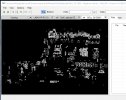
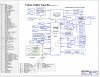
Screen Shot 2021-01-07 at 21.39.45.jpgScreen Shot 2020-05-30 at 16.58.26.jpg
 

Download list

My question is: I install a new MEC1416-NU ic and the power on lights blink and dc input voltages fluctuate, then put the old chip back on, everything stabilizes but no lights or anything because the chip has a damaged RTC line. I need to program ic MEC1416 ??
 
It's up to you if you think you can load, but this MEC is very difficult to program,
If I see the MEC invite but the power source is still full, I think it's not a problem with ROM in MEC and two 1MB BIOSes that only manage non-EC devices
 
50B871P9DGN-2A7B password: 2gQ05z6v57GX72xA

2 - 2 ( digit )
g - golf ( lowercase )
Q - QUEBEC ( UPPERCASE )
0 - zero ( digit )
5 - 5 ( digit )
z - zulu ( lowercase )
6 - 6 ( digit )
v - victor ( lowercase )
5 - 5 ( digit )
7 - 7 ( digit )
G - GOLF ( UPPERCASE )
X - X-RAY ( UPPERCASE )
7 - 7 ( digit )
2 - 2 ( digit )
x - x-ray ( lowercase )
A - ALFA ( UPPERCASE )
 
50B871P9DGN-2A7B password: 2gQ05z6v57GX72xA

2 - 2 ( digit )
g - golf ( lowercase )
Q - QUEBEC ( UPPERCASE )
0 - zero ( digit )
5 - 5 ( digit )
z - zulu ( lowercase )
6 - 6 ( digit )
v - victor ( lowercase )
5 - 5 ( digit )
7 - 7 ( digit )
G - GOLF ( UPPERCASE )
X - X-RAY ( UPPERCASE )
7 - 7 ( digit )
2 - 2 ( digit )
x - x-ray ( lowercase )
A - ALFA ( UPPERCASE )
I got message: Invalid Password
 
I got message: Invalid Password
Please read the instructions CAREFULLY.

INSTRUCTIONS:
- Type the 16-character password. For UPPERCASE characters use SHIFT key. Take your time while typing password, my suggestion is to use NATO Phonetic guide under password (a-alpha, B-BRAVO, C-CHARLIE...).
- Once you are done typing password, hold down left CTRL key and press ENTER key twice (CTRL-ENTER-ENTER).
(Password is to be typed using a standard US QWERTY keyboard).

NOTE: Sometimes if using master password within Setup/BIOS, just pressing ENTER after typing password will do.
You follow same as above instruction?
 

Latest posts

Back
Top