What's new

Ask Lenovo bios password LV315KB MB 17807-3M.448.0DC05.003M

Question & Answer Forums
Good evening! Excuse me! Could you help me modify the BIOS of my Lenovo laptop? It uses a motherboard marked: LV315KB MB 17807 - 3M. 448 . ODC05 . 003M. Currently, the laptop seems to power on and shows all the voltages at its coils, but there's no video output. It only has soldered RAM, and I suspect there's a problem with it. Therefore, I kindly request that you modify the BIOS file to disable the soldered RAM. I've attached my original BIOS file (backup). Thank you.
 

Download list

backuporiginal.bin
8 MB · Views: 1

Good evening! Excuse me! Could you help me modify the BIOS of my Lenovo laptop? It uses a motherboard marked: LV315KB MB 17807 - 3M. 448 . ODC05 . 003M. Currently, the laptop seems to power on and shows all the voltages at its coils, but there's no video output. It only has soldered RAM, and I suspect there's a problem with it. Therefore, I kindly request that you modify the BIOS file to disable the soldered RAM. I've attached my original BIOS file (backup). Thank you.
 

Download list

bbv.zip
5 MB · Views: 1

Thank you for the information sent! However, I must inform you that the problem with my laptop persists. I already installed the new BIOS you sent to disable the stuck RAM, but the reaction is identical: the laptop powers on with all the correct voltages, but there's no video on the screen, and to shut it down, I have to press and hold the power button for six seconds. If you have any additional information about the problem, I would appreciate it. Thank you for your attention.
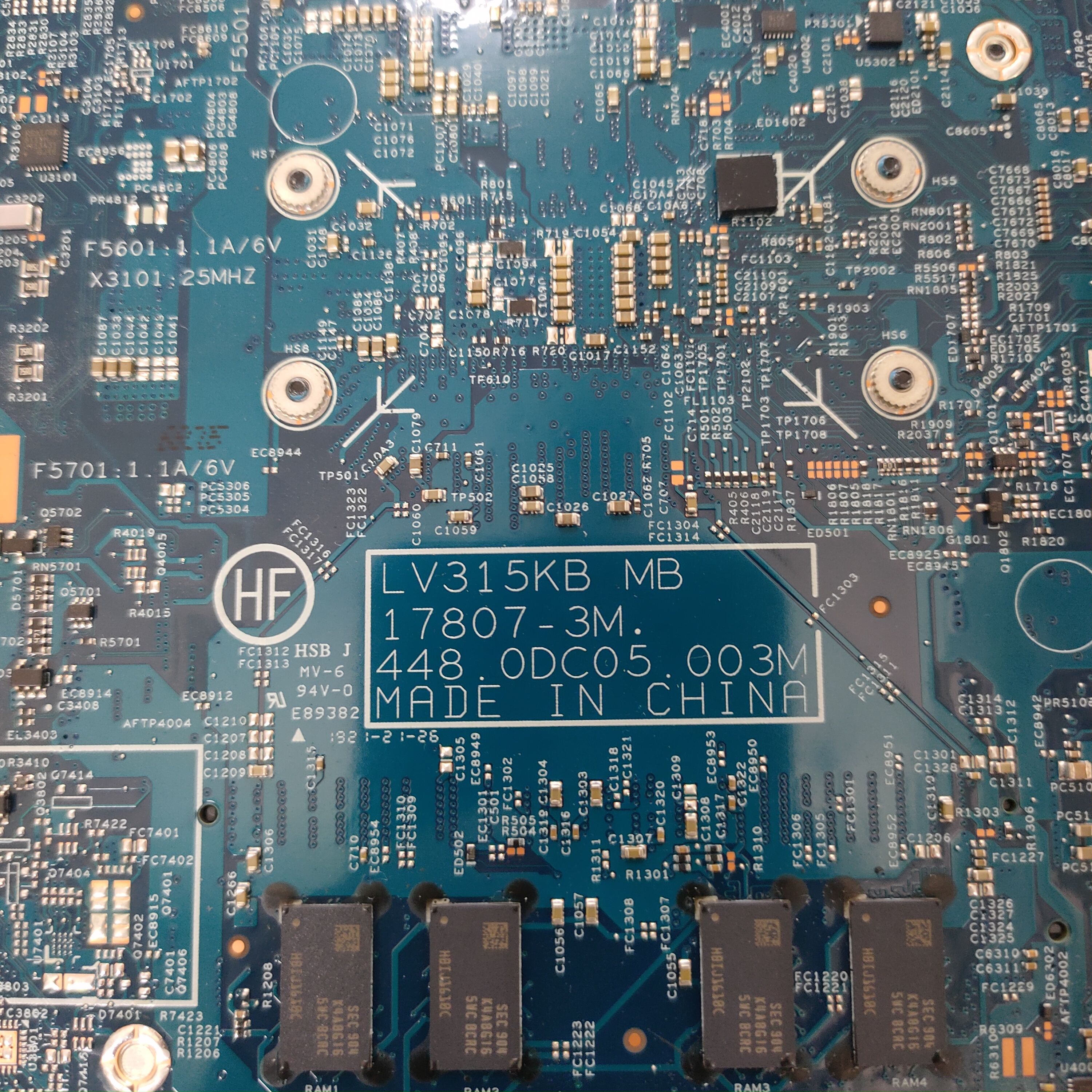
 
Thank you for the information sent! However, I must inform you that the problem with my laptop persists. I already installed the new BIOS you sent to disable the stuck RAM, but the reaction is identical: the laptop powers on with all the correct voltages, but there's no video on the screen, and to shut it down, I have to press and hold the power button for six seconds. If you have any additional information about the problem, I would appreciate it. Thank you for your attention.
try adding new bios if same problem then check chipset
 
Back
Top