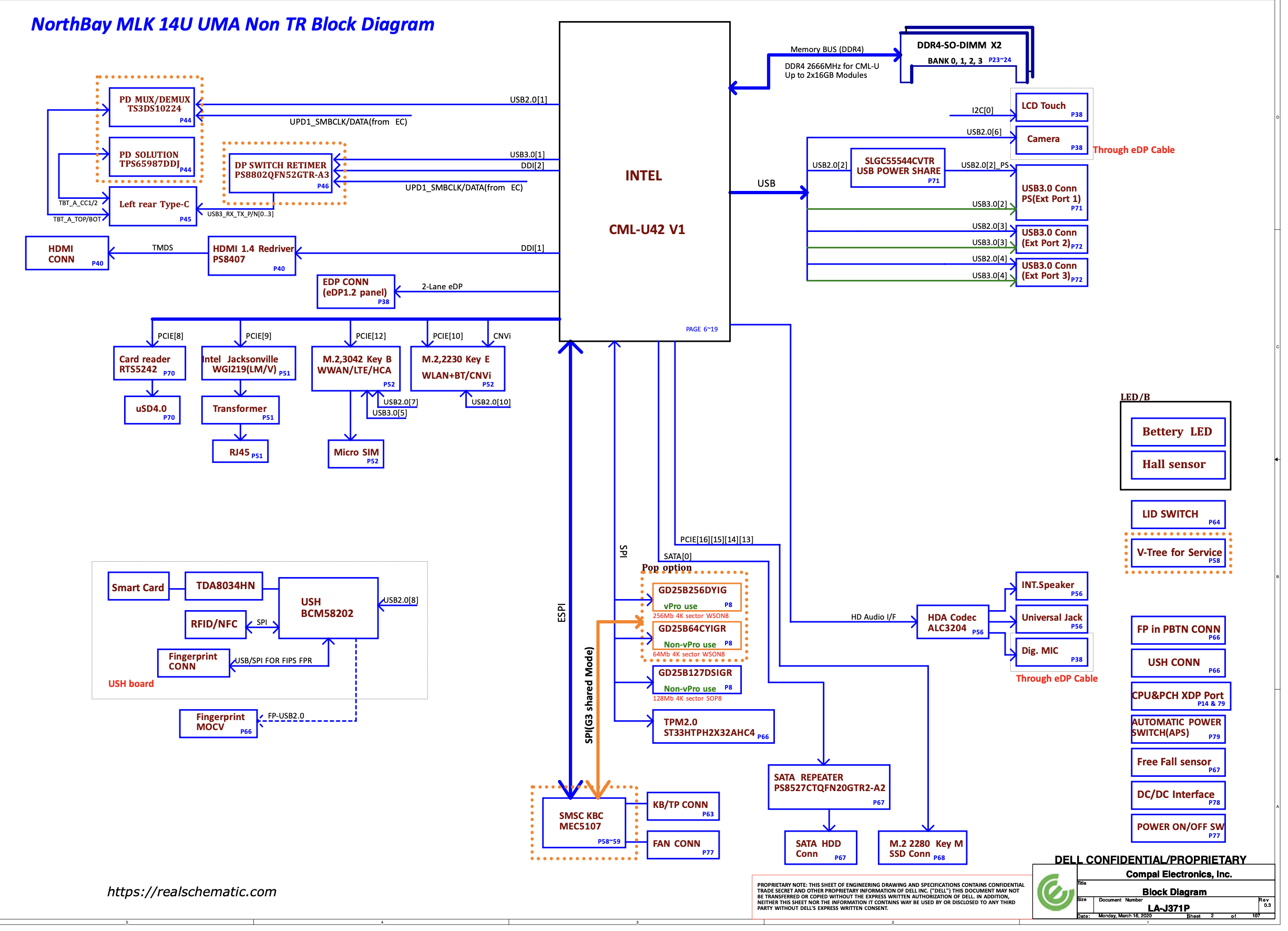
BIOS latitude 5410 LA-J371P

Star Rating
5.00 star(s)
latitude 5410 LA-J371P
BIOS, Schematics
Compal LA-J371P FDZ41 r1.0.pdfScreenshot 2024-10-17 at 12.49.02 PM.png
 

Download list

Last edited:
many above
I also have this same laptop but it has so many bios chips I am confused becaused I am used to to 1 or just 2 chips at the most but tis one has 4. the board is DV7 DV6 FDV40 LA-J541P Rev:1.0(A00) 2020-01-21. At first was getting stack on Dell logo now it's not even switching on. I don't which bios chips to programm or may I have to do all 4? Please advise.
 

Download list

  • IMG_20260224_194600.jpg
    IMG_20260224_194600.jpg
    3.6 MB · Views: 1
  • IMG_20260224_194838.jpg
    IMG_20260224_194838.jpg
    5.2 MB · Views: 1
  • IMG_20260224_194830.jpg
    IMG_20260224_194830.jpg
    5 MB · Views: 1
  • IMG_20260224_194726.jpg
    IMG_20260224_194726.jpg
    4 MB · Views: 1
I also have this same laptop but it has so many bios chips I am confused becaused I am used to to 1 or just 2 chips at the most but tis one has 4. the board is DV7 DV6 FDV40 LA-J541P Rev:1.0(A00) 2020-01-21. At first was getting stack on Dell logo now it's not even switching on. I don't which bios chips to programm or may I have to do all 4? Please advise.
only care one main BIOS 32mb
 
Not working. the orignal switchs on but stuck on dell logo dosent go anywhere once it shows dell and it takes a long time to show it and sometimes it dosent even come.
try adding another bios if you have the same problem then it is not a bios error
 

Similar threads

Back
Top