

Các bước tạo Apple Fusion Drive.
1. Reset máy Mac nhấn giữ option+command+R (vào chế độ restore hoặc có thể sử dụng USB cài đặt macOS...)
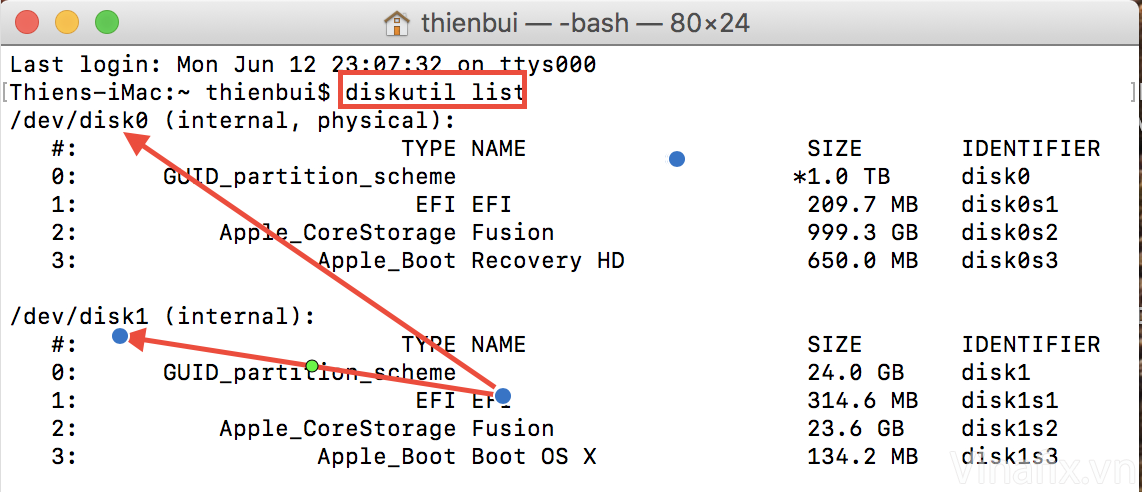
2. Trong Utilities chúng ta mở Terminal nhập:
diskutil list
(mục đích để kiểm tra tên ổ đĩa)
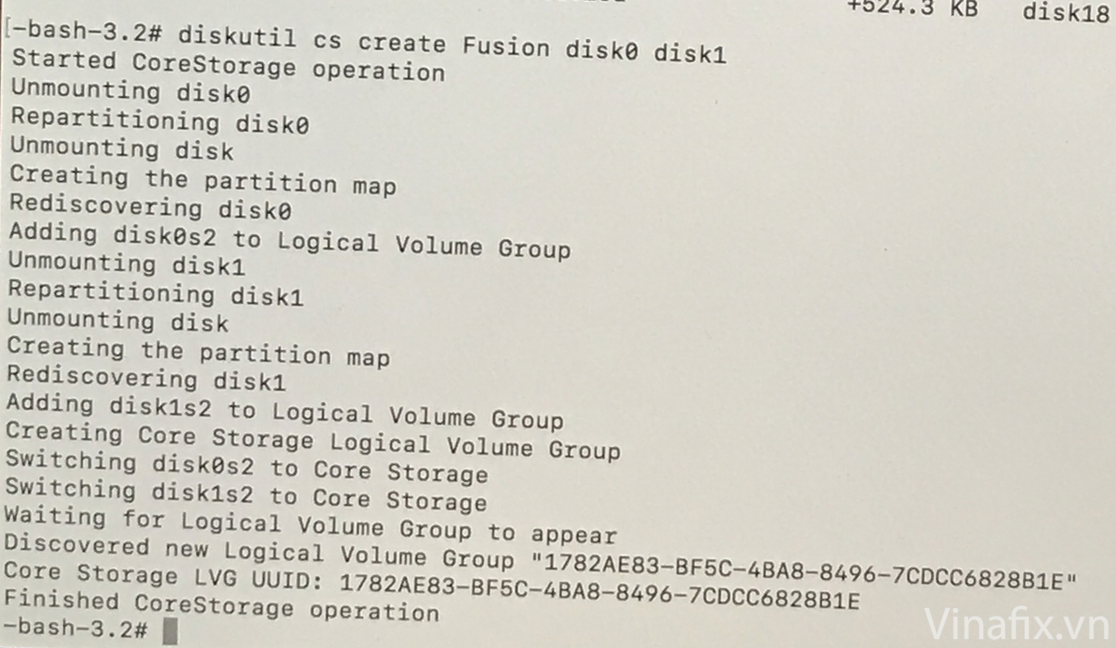
3. nhập:
diskutil cs create Fusion disk# disk#
(disk0 disk1) máy bạn tên có thể khác nếu có nhiều ổ đĩa
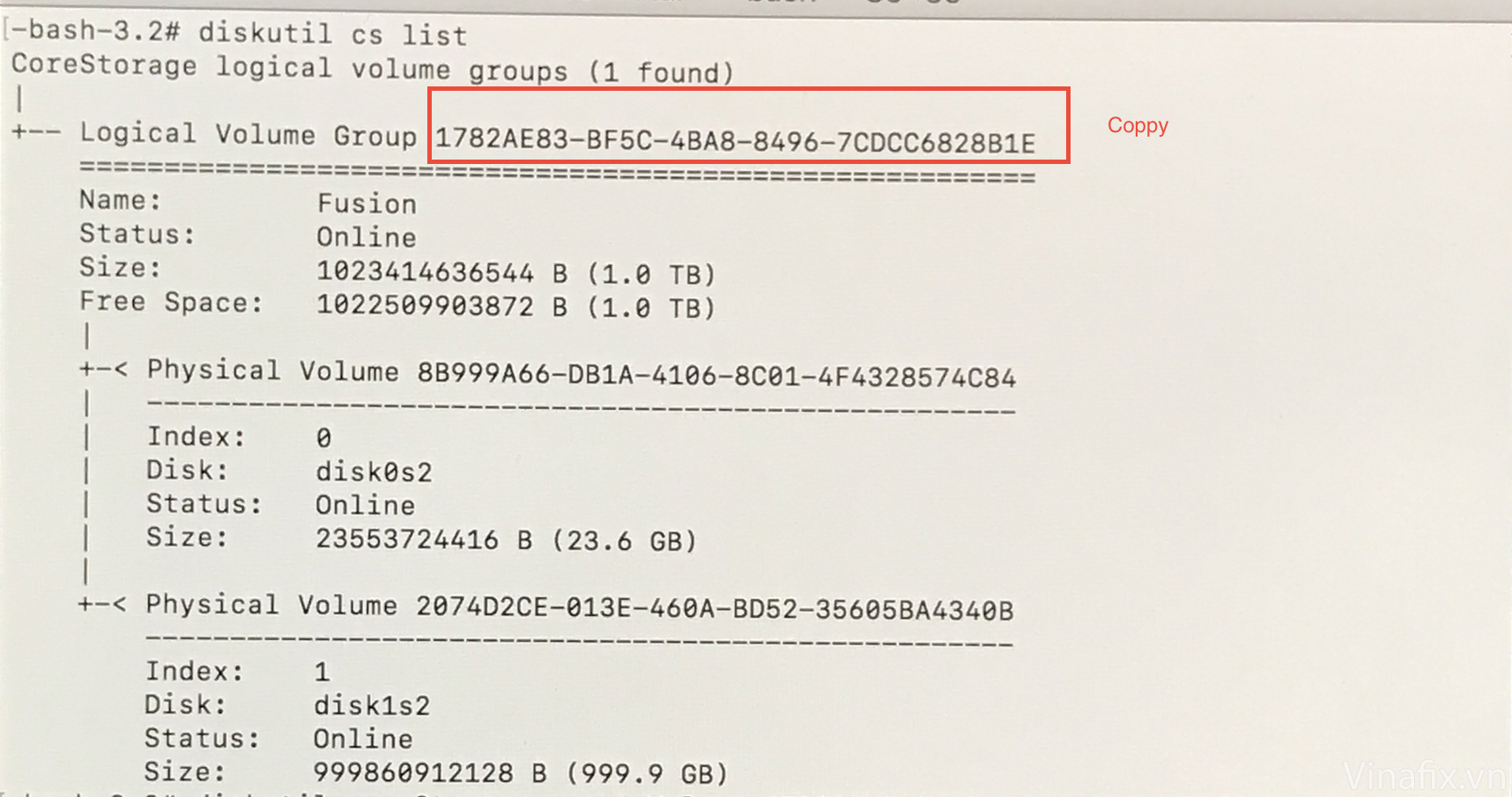
4. Nhập:
diskutil cs list
( và copy Logical Volume Group ID )
5. Nhập:
diskutil coreStorage createVolume ID_Logical_Volume_Group jhfs+ "Name_Of_Drive" 100%
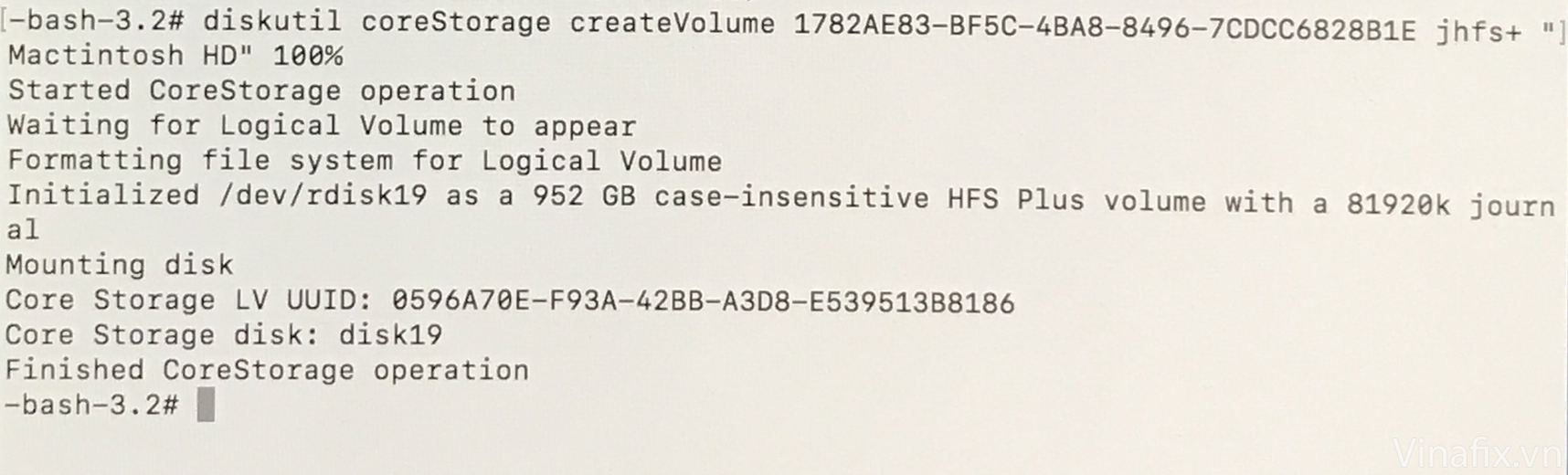
Lưu ý: tất cả ở đĩa dữ liệu sẽ bị xoá trắng chúng ta cần cài lại macOS.
Nếu muốn delete Fusion Drive:
1. diskutil cs list
2. Copy ID_Logical_Volume_Group
3. diskutil cs delete PASTE_D_Logical_Volume_Group
1. Reset máy Mac nhấn giữ option+command+R (vào chế độ restore hoặc có thể sử dụng USB cài đặt macOS...)
2. Trong Utilities chúng ta mở Terminal nhập:
diskutil list
(mục đích để kiểm tra tên ổ đĩa)
3. nhập:
diskutil cs create Fusion disk# disk#
(disk0 disk1) máy bạn tên có thể khác nếu có nhiều ổ đĩa
4. Nhập:
diskutil cs list
( và copy Logical Volume Group ID )
5. Nhập:
diskutil coreStorage createVolume ID_Logical_Volume_Group jhfs+ "Name_Of_Drive" 100%
Lưu ý: tất cả ở đĩa dữ liệu sẽ bị xoá trắng chúng ta cần cài lại macOS.
Nếu muốn delete Fusion Drive:
1. diskutil cs list
2. Copy ID_Logical_Volume_Group
3. diskutil cs delete PASTE_D_Logical_Volume_Group


